Chat window
Chat window
Before you start talking, read the Chat Rules. Some effects can scramble what you type (the "Tipsy" and "Dogs Distemper" effects) or send your messages to public chat ("Inadequacy").
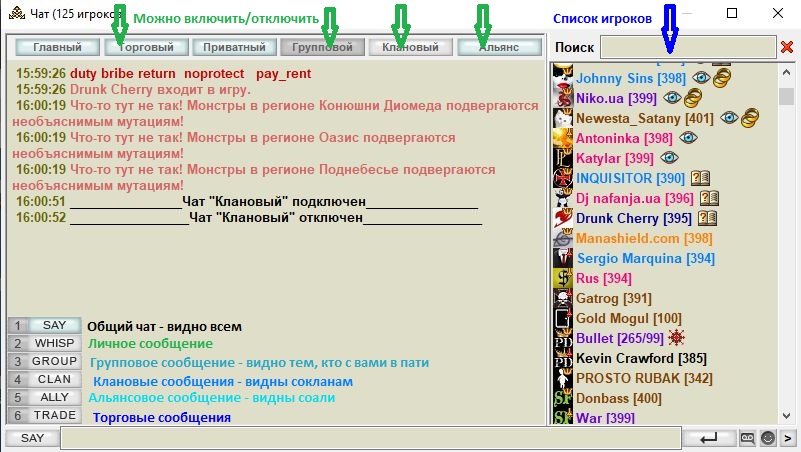
The main chat window when it is open:
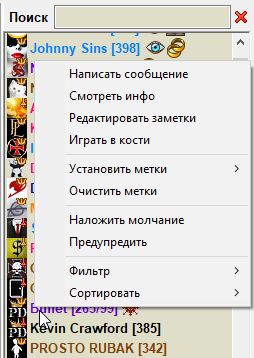
Right-click to open the context menu
- "View info" loads the site page about the selected character: nick, level, clan and religion, avatar, gifts, bind location, worn gear, personal notes, and so on;
- "Edit notes" opens a window where you can write a note about the character;
- "Play dice" sends the selected character an invitation to play dice
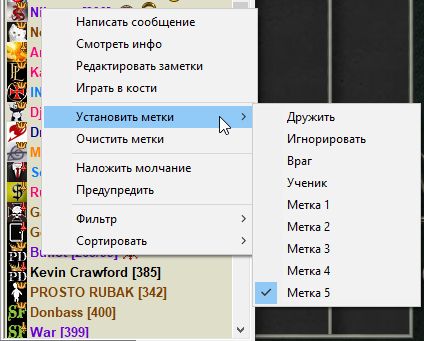
- "Set labels" opens a window with "Friend", "Enemy", "Ignore", "Student", "Label #" (you can change their color and name in Options). They put the character in a group: "Friends" (green), "Enemies" (red) and "Ignore" (grey — do not accept private messages from that character);
- "Clear labels" removes the labels you set.
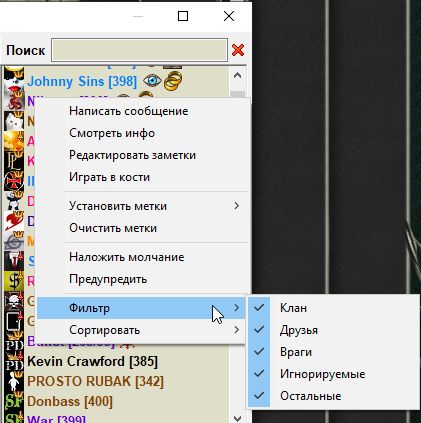
- "Filter" lets you choose which player groups to show and which to hide.