Clan HQ
Clan HQ
Through Clan HQ you perform various actions 
General
This section shows general information about the clan.
You can also leave a message that every clan member will see when they log in.
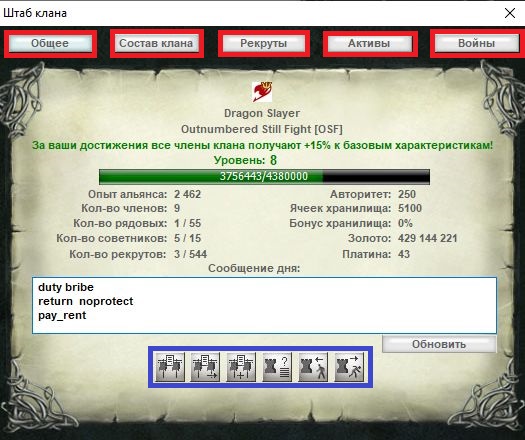
And the following actions are available:
 Invite the named clan to join an alliance \ally_add "CLAN"
 Leave the current alliance
 Accept an alliance invitation \ally_accept "CLAN"
 List of players bound to the clan castle
 Offer a character a bind in the clan castle \set_born "NAME"
 Unbind the selected character from the clan castle \set_unborn "NAME"
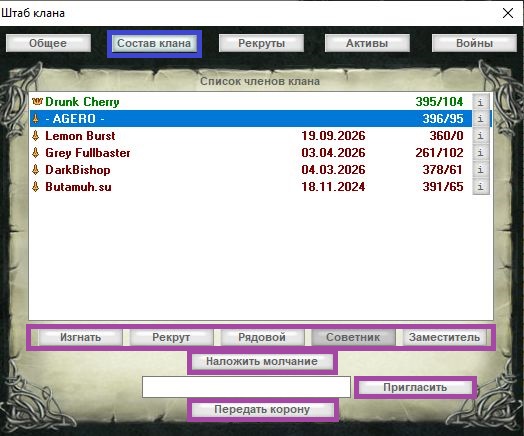
Clan roster
The leader and deputy can kick members, change ranks in the clan, and impose silence for 5 minutes. (The deputy cannot appoint another deputy or change the clan leader.)
A character may join a clan once every 3 real-time days (clan status may not change more than once per day). You cannot accept characters into the clan during a clan or alliance siege.
Recruits
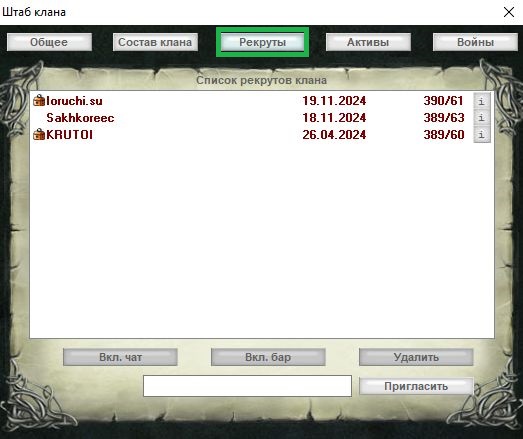
The clan leader and deputy can turn clan chat and Bar use on or off for recruits.
Recruits do not take part in alliance and clan wars\ sieges.
Assets
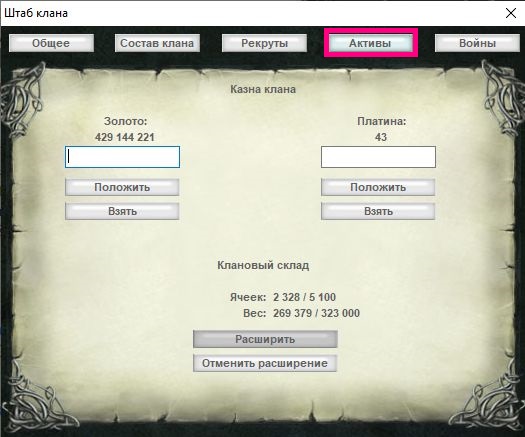
The leader and deputy can add to or take assets from the clan treasury (you must be in a bank).
For other clan members to use the treasury, you need the matching commands.
You can also expand the Bar or cancel the expansion here.
Wars
This section shows the state of clan wars and territories.
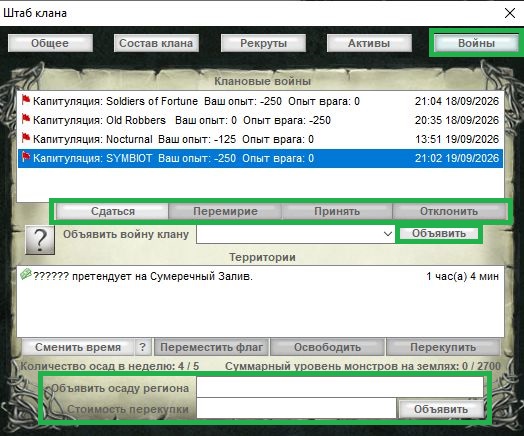
 Challenge issued — sent through the "Declare war on clan" line or with \startwar "Opponent clan name".
The challenge is accepted with the "Accept" button or \acceptwar "Opponent clan name"
You need at least 500 Authority .
 Challenge declined — refuse with the "Decline" button or \declinewar "Opponent clan name"
On refusal the clan's Authority is halved; after a day, if the challenge is neither accepted nor declined, an automatic refusal fires.
 Waiting for peace — offer a mutual end to the war with the "Ceasefire" button or \ceasefire "Opponent clan name"
 Until peace is accepted, the clan war stays active. If you offered peace by mistake and want to cancel the war, use \stopwar "Opponent clan name".
 Ceasefire — mutual end of the war with the "Accept" button or \acceptcease "Opponent clan name".
If ceasefire is refused with "Decline" or \declinecease "Opponent clan name", the war stays active.
Without a change in Authority.
 War — an active war in which the opposing clans gain or lose clan experience and Authority.
If you travel the world with an inactive religion, use Light Steps so you do not hit a Clan War Trap
 Capitulation — to end the war with a specific clan, select the row and press "Surrender" or use \stopwar "Opponent clan name". To drop all wars, right-click "Surrender".
On capitulation the clan's Authority is halved
Territories see